Skip to content
SocioPro

Social media scheduling

Your Social Media. One Beautiful Calendar.

Plan your content, schedule posts, and manage Facebook, Instagram, and YouTube from one simple workspace.

Create an account, verify your email, then connect channels and pick a plan.

Week of Oct 13

Facebook · Instagram · YouTube

5 scheduled 2 live

Illustrative preview — not live account data

SocioPro calendar and post scheduling preview

Your favorite platforms. One workflow.

Connect Facebook Pages, Instagram Business accounts, and YouTube channels — the networks SocioPro publishes to today.

Facebook

Pages via OAuth

Instagram

Business accounts

YouTube

Channels & videos

How it works

From Content Idea to Scheduled Post

A clear path from connecting an account to tracking what published — based on how SocioPro works today.

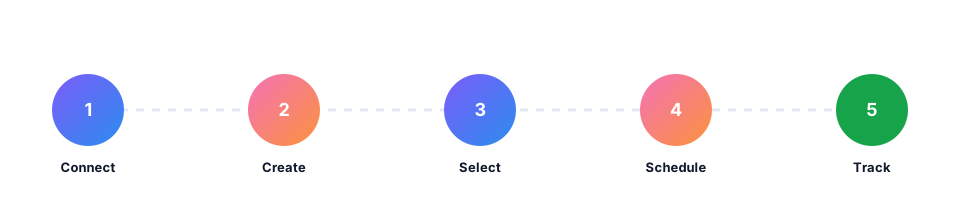
  1. 1

    Connect a social account

    Link Facebook Pages, Instagram Business accounts, or YouTube channels over OAuth. Tokens stay encrypted.

  2. 2

    Create a post & attach media

    Write your caption, pull images or video from the media library, and prepare the draft.

  3. 3

    Select publishing accounts

    Choose which connected accounts should receive the post — one draft, multiple destinations.

  4. 4

    Schedule the post

    Pick a date and time. The calendar shows exactly what goes live and when.

  5. 5

    Track the result

    See scheduled, published, and failed outcomes per account, then retry only what needs attention.

Product stories

Built around the calendar, the composer, and honest status

Feature 01

A Calendar That Keeps Everything Together

See every scheduled post across Facebook, Instagram, and YouTube in one weekly view — what is queued, live, or next.

Explore the calendar →

SocioPro · Week of Oct 13

Preview

This week

4 queued 2 published
  • Mon 9:00 AM

    New arrivals drop — shop the edit.

    Scheduled
  • Tue 1:30 PM

    Studio diary: three days behind the lens.

    Scheduled
  • Wed 6:00 PM

    Carousel: five looks, one capsule.

    Published
  • Thu 11:00 AM

    Page update — weekend hours.

    Failed

Illustrative SocioPro calendar with scheduled and published posts

New post

Draft

Caption

Morning fuel for the week ahead ☕ New seasonal blend is live — link in bio for pickup hours.

Media

+ Add

Publish to

  • Brand Page
  • Studio IG
  • Channel YT

Schedule

Thu · Oct 16 · 11:00 AM

Save draft Schedule
SocioPro multi-platform composer preview

Feature 02

Create and Schedule with Less Effort

Write a caption, attach media, pick accounts, and set a time — without copying between native apps.

  • Media from your library
  • Platform selection per draft
  • Schedule or publish now

Feature 03

Know What Published

Each account gets its own result. When something fails, retry just the failed accounts without republishing what already worked.

Get started

Carousel: five looks, one capsule

Studio IG · Delivered at 6:00 PM

Published

New arrivals drop — shop the edit

Brand Page · Publishes Mon · 9:00 AM

Scheduled

Page update — weekend hours

Brand Page · Platform error · Retry ready

Failed
Publishing status preview for scheduled, published, and failed posts

Content in context

Organize every kind of post in one place

Sample visuals for illustration only — fictional brands showing how varied content looks inside a SocioPro calendar.

Who it is for

One workspace for the people who keep the calendar honest

Solo creators

Keep Facebook, Instagram, and YouTube on one schedule when you are the whole team.

Small businesses

Plan product drops, updates, and promotions without juggling three native apps.

Marketing teams & agencies

Share a queue across seats on your plan so everyone sees what is going out — and trusts that it will.

Weekly queue

Your week at a glance

Varied post thumbnails, publishing times, platform badges, and realistic status indicators — product preview, not live account data.

This week’s queue

Sample content — fictional brands for illustration

Scheduled Published Failed

Mon

Product drop

9:00

Scheduled

Tue

Studio diary

13:30

Scheduled

Wed

Cafe carousel

18:00

Published

Thu

Hours update

11:00

Failed

Fri

Fitness tip

8:00

Scheduled

Sat

Open

Sun

Travel reel

19:00

Draft
Weekly SocioPro calendar preview with sample posts

Pricing

Plans that match how much you publish

Same toolkit on every plan. You pay for channels, posts, and seats. Compare plans.

Starter

$19 /mo

  • 3 connected accounts
  • 50 posts / month
  • 1 user
Get started

Agency

$99 /mo

  • Unlimited accounts
  • Unlimited posts
  • 5 team members
Get started

Frequently asked questions

Which platforms does SocioPro support?

Facebook Pages, Instagram Business accounts, and YouTube channels. Each linked Page, profile, or channel counts as one connected account.

How do I connect accounts?

After you create and verify your SocioPro account, open Connected accounts and authorize each platform with OAuth. You can disconnect anytime.

How does scheduling work?

You compose a post, choose accounts, and set a publish time. A scheduler checks for due posts every minute and queues a job per account.

What happens if publishing fails?

The failure is recorded for that account with the platform error. Other accounts on the same post are unaffected. You can retry just the failed ones.

What are the plan limits?

Starter includes 3 accounts, 50 posts/month, and 1 user. Professional includes 20 accounts, unlimited posts, and 3 users. Agency includes unlimited accounts and posts with 5 users.

How does billing work?

After you create an account, you choose a plan on the billing page. You can upgrade, downgrade, or cancel from billing settings. There is no free trial — you subscribe when you are ready.

Make Your Next Week of Content Easier.

Bring your social content into one place and spend less time switching between platforms.